What's going on in Mr. Solarz' Class?
  • Parent (Current Newsletter)
    • Additional Parent Resources >
      • Homework Guidance for Parents
      • WEX - Writer's Express
      • Our Classroom YouTube Page
      • Should I grade homework?
      • Articles that Explain my Philosophy of Teaching
      • Parents Supporting 21st Century Learning
    • Daily Photo Journal >
      • 2014-2015 DaIly Photo Journal
      • 2013-2014 Daily Photo Journal
      • 2012-2013 Daily Photo Journal
    • Tentative Schedule this Week
    • Parent-Teacher Conference Schedule
    • Monitoring Your Child's Progress in Spelling
    • Calendar
    • Printables
    • 21st Century Skills
    • Westgate Social Work
    • Bessie's Table Soup Kitchen
  • Students
    • Overflow Roll-Out >
      • Contests You Can Enter!
      • Student Quotes
      • Websites to Visit for Homework!
      • REARJMCL
    • Calendar
    • Mini-Lessons
    • I Never Knew That!
    • History Alive! >
      • Sign-In Page
      • Online Tutorial
      • History Alive 10 Quiz
    • Spelling
  • Educators
    • Mr. Solarz' ePortfolio >
      • Teacher Evaluation
      • Domain3
      • Domain4
      • My Digital Scrapbook
      • Finland
    • Workshops I've Led >
      • How to Set Up and Run a Mystery Skype Session
      • Creating Your 21st Century Classroom
      • Twitter for Educators
      • Leading Children to Pursue their Passions
      • Becoming a Global Classroom Through Mystery Skypes
      • Enriched Learning Projects
      • Developing Units with 21st Century Skills in Mind
      • Who Owns the Learning? Examples of 5th Graders Running the Show
      • A Brief Introduction to China (for 2nd Graders)
    • 21st Century Learning >
      • Resources for Teachers >
        • 21st Century Skills
        • The 21st Century Skill Series of Videos
      • Examples of 21st Century Education in Action >
        • Self-Directed Students
      • 21st Century Assessment
      • Web 2.0 Tools Used in Our Classroom
      • Articles for 21st Century Teaching (Updated Daily)
      • Motivational Speakers
    • Curricular Units >
      • Social Studies Units >
        • The 2012 Presidential Election
        • The Revolutionary War
        • U.S. Constitution and Government
        • Westward Movement
      • Science Units >
        • Energy
        • Science Fair
        • Human Body Systems in Motion
        • Human Body Systems in Motion
        • Watery Earth
    • EdChat Archives >
      • #TLAP
      • #5thchat
      • #21stedchat
    • My Philosophy of Education
    • Tips and Tricks for the Elementary Classroom
    • China (Photos)
  • Past
    • 2013-2014 >
      • Year-Long Activities >
        • Passion Time >
          • Passion Projects >
            • 2013-2014 Passion Projects >
              • Passion Projects 10/11/13
              • Passion Projects 11/22/13
              • Passion Projects 12/20/13
              • Passion Projects 2/12/14
              • Passion Projects 3/21/14
              • Passion Projects 5/2/14
              • Passion Projects 6/2/14
            • 2012-2013 Passion Projects >
              • Passion Projects 1
              • Passion Projects 2
          • Guidelines for Creating Your Final Product
        • New Assignments
        • Mystery Skype
        • Literature Circles >
          • Discussions & Signposts
          • Book Talks >
            • Submit Your YouTube URL Here
      • Spring Trimester >
        • Our Learning Experiences
        • Westward Expansion >
          • Oregon Trail Pastimes
          • VoiceThread Blog
          • Pinterest
          • VoiceThread
          • Timeline
          • Diigo
          • Google Presentation
          • Photo Stories
          • Tableaux Vivants
          • Daily Travel Log
          • Fictional Travel Log
          • Video Journal
        • WEX - Fictional Narratives
        • 21st Century Skills
        • Motivational Posters
        • Watery Earth >
          • Bodies of Water
        • Colonize Mars! >
          • Claiming Mars For Ourselves
      • Winter Trimester >
        • 100 Word Challenge
        • Stations
        • Human Body Unit
        • Out Of My Mind
      • Fall Trimester >
        • Historical Reenactment
        • Tessellations
    • 2012-2013 >
      • April/May/June >
        • Mystery Skype
        • Colonize Mars!
        • Science Fair 2013
      • February/March >
        • ThingLink
        • Human Body
        • Revolutionary War Simulation
        • Global Literature Circles
        • ISAT Test Prep
      • January >
        • Field Museum
        • Wonder >
          • Character Analyses
          • Teacher Notes for Wonder - R.J. Palacio
        • Google Groups
      • November/December >
        • 12/12/12
        • Energy Debates >
          • Energy Debates Videos!
          • Energy Debate Blog Template
        • Presidential Elections >
          • The 2012 Presidential Election
          • Presidential Election Glogs
          • Presidential Character Traits
          • Political Parties >
            • Democratic Party
            • Republican Party
            • Green Party
            • Constitution Party
            • Libertarian Party
          • Virtual Debate >
            • Education
            • Health Care
            • Social Security
            • Immigration
          • Infographic Lessons on Prezi
          • Political Polls
          • ELECTION TIME!!!
      • October >
        • Creating Your Class Badges Account
        • Properties of Quadrilaterals
        • WEX Lesson 33 - Human Sculptures
        • Energy
        • 10-11-12 What's Special About It?
        • Mr. Badynee's 50th Birthday!
      • September >
        • Constitution Day - September 17, 2012
        • Character Traits Thesaurus
        • Mad Libs!!!
        • Grammar
    • 2011-2012 >
      • May/June >
        • Science Experiments >
          • Marble Coasters
          • Bubble Busters
          • Geodes
          • Naked Egg Drop
        • Oregon Trail >
          • Reflection Activities >
            • Pinterest
            • Voice Thread/Garage Band
            • Timeline of Events
            • Diigo
            • Google Presentation
            • Photo Album
            • Tableaux Vivants
            • Video Updates
            • Daily Travel Log
            • The "Very Unrealistic Accounts" of our trip west
          • Miscellaneous >
            • Audio ThingLink Map
            • Passtimes/Games/Songs
        • Niche Theory
        • The 5 Love Languages
        • Pool Party
        • History Alive 17
        • Field Day
      • March/April >
        • Phantom Tollbooth >
          • Homework >
            • HW Due 5/3/12 by 4:00 p.m.
            • HW Due 5/14/12 by 4:00 p.m.
            • Character Forum
            • New Characters
            • New Settings
          • Roles >
            • 1 - Detail Tracker
            • 2 - Psychologist
            • 3 - Professor
            • 4 - Philosopher
            • 5 - Cartographer
        • Human Body >
          • Human Body Posters (Pre-Assessment)
          • Human Body Lessons >
            • Heart Rate Graphs
            • Exercise Graph
            • Clothespin Lesson
            • Creating Aliens
            • Hinge Joint Videos
          • How to Write a Reflection
          • Final Assessment & Reflection
        • WEX Fictional Narratives >
          • Sticky Podcasting
          • Podcasts
          • Writing Picture Books
        • Project Citizen: Westgate Database
        • Arbor Day
        • Zero Degree Party!
        • Judge Tristano Visit
      • January/February >
        • Kate Klise Assembly
        • Lara in "Annie"
        • Glogster Project
        • Science Fair
        • Valentine's Day Party
        • Teacher Appreciation Week
      • November/December >
        • Chinese Calligraphy
        • Energy
        • Energy Debates
      • September/October >
        • Rev. War Hero Projects
        • Stations
        • Halloween Party
        • Fall Links
      • Videos
  • Present
    • Passion Time >
      • Passion Time Steps
      • Submit Your Essential Question
      • Essential Questions
      • How to Post Your Passion Project Online
    • 2014-2015 Miscellaneous
    • Energy
    • Wonder
    • Grammar
  • Future
    • Learning About 21st Century Skills
    • Creating Infographics
    • Utilizing the Left and Right Sides of Your Brain
    • Comments 4 Kids
    • Innovation in the Classroom
    • Online Quizzes and Polls
    • Solar Maximum
    • Vocabulary/Parts of Speech
    • The Five Things I've Learned
    • Vialogues (Video Discussions)
    • Creating Online Videos
    • Advanced Storytelling
    • Test Anxiety
    • Responding to Blog Entries
    • Writer's Workshop Blog
    • Recipe Project (Blog)
  • e-Portfolios
    • 2014-2015 Students >
      • Student ePortfolios 0-7 >
        • 1 - Michael
        • 2 - Charlie
        • 3 - Nicole
        • 4 - Stacy
        • 5 - Bela
        • 6 - Kendall
        • 7 - Demetri
      • Student ePortfolios 8-14 >
        • 8 - Emily
        • 9 - Nicky
        • 10 - Hanna
        • 11 - Payton
        • 12 - Hasanain
        • 13 - Tucker
        • 14 - Chris
      • Student ePortfolios 15-21 >
        • 15 - Madi
        • 16 - Aidan
        • 17 - Luke
        • 18 - Kaela
        • 19 - Ryan
        • 20 - Alison
        • 21 - Lucas
    • 2013-2014 Students >
      • Student ePortfolios 0-9 >
        • 0 - Mr. Solarz' Sample Portfolio
        • 1 - Anthony A.
        • 2 - Annie B.
        • 3 - Sadie D.
        • 4 - Ellie D.
        • 5 - Sam D.
        • 6 - Ed D.
        • 7 - Luke D.
        • 8 - Keegan D.
        • 9 - Sean G.
      • Student ePortfolios 10-18 >
        • 10 - David K.
        • 11 - Ethan K.
        • 12 - Sam K.
        • 13 - Abby K.
        • 14 - Justin L.
        • 15 - Jill L.
        • 16 - Giana M.
        • 17 - Charlotte O.
        • 18 - Jack S.
      • Student ePortfolios 19-27 >
        • 19 - Charlie S.
        • 20 - Drew S.
        • 21 - Michael S.
        • 22 - Stefan S.
        • 23 - Charlie S.
        • 24 - Connor W.
        • 25 - Emily W.
        • 26 - Emma W.
        • 27 - Julia Z.
    • 2012-2013 Students >
      • Student Blogs 1-9 >
        • Blog 1
        • Blog 2
        • Blog 3
        • Blog 4
        • Blog 5
        • Blog 6
        • Blog 7
        • Blog 8
        • Blog 9
      • Student Blogs 10-17 >
        • Blog 10
        • Blog 11
        • Blog 12
        • Blog 13
        • Blog 14
        • Blog 15
        • Blog 16
        • Blog 17
      • Student Blogs 18-25 >
        • Blog 18
        • Blog 19
        • Blog 20
        • Blog 21
        • Blog 22
        • Blog 23
        • Blog 24
        • Blog 25
        • Blog 0
    • 2011-2012 Students >
      • Girls from 2011-2012 >
        • Gwendolyn Bennet >
          • Mars Travel Log
        • Dong Ling >
          • Mars Travel Log
        • Sophia Castro >
          • Mars Travel Log
        • Tristan Ely >
          • Mars Travel Log
        • Christine DuPont >
          • Mars Travel Log
        • Ira Matheus >
          • Mars Travel Log
        • Nicoletta Innazzo >
          • Mars Travel Log
        • Kade Bahari >
          • Mars Travel Log
        • Hava Raya >
          • Mars Travel Log
        • Kim Soo >
          • Mars Travel Log
        • Nabili Ngoumba >
          • Mars Travel Log
        • Britta Larson >
          • Mars Travel Log
        • Kristin Gola >
          • Mars Travel Log
      • Boys from 2011-2012 >
        • Dutch Vermont >
          • Mars Travel Log
        • Jose Leonardo >
          • Mars Travel Log
        • Otis Marley >
          • Mars Travel Log
        • Jose Rodriguez >
          • Mars Travel Log
        • Peter Anderson >
          • Mars Travel Log
        • Samir Bakri >
          • Mars Travel Log
        • Sefu Wellingtin >
          • Mars Travel Log
        • Raja Bello >
          • Mars Travel Log
        • Robert Gagne >
          • Mars Travel Log

Using Simulations to Teach History Content:                                             Becoming an Apprentice in Boston During the Revolutionary War

8/29/2013

5 Comments

 
PictureStrobe Light
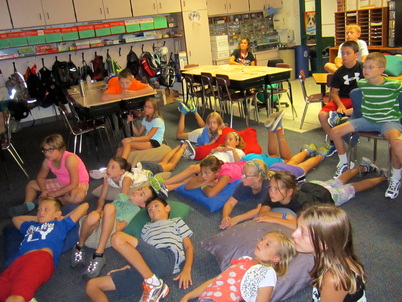
Today, our class traveled back in time to 1768, Boston.  We wanted to experience history, rather than just learn about it!  I made the entire moment of time travel into an exciting event for all by asking my students to buckle up and prepare for a wild ride!  I turned off the lights and flipped a switch that turned on a strobe light and I sat down and bounced around on a chair!  When we arrived at our destination, the lights came back on and I asked my students to look around and explore.  They walked around & told me what they saw. 

You see, I need to ensure that my students are able to "Summarize and explain the major events that created tension between the colonists and Britain and eventually led to the Declaration of Independence." 

And I want them to actually understand what happened during those events, rather than just memorize information about them.  In my opinion, simulations enable students to learn far greater details about a subject because they pretend they are living these events, rather than just reading about them.

Our first task while in 1768 Boston was to find a job!  We arrived there with no money, no place to sleep, and only the clothes on our backs.  I asked my students to walk around town looking for a trade to apprentice.  (Logistically speaking, I assigned them a letter of the alphabet and had them choose a profession common in this time period.  Here are the details.)

Once they found their job and a place to live, they researched their job and created a slide on our shared Google Presentation that explained what their job was.  Finally, they created a Voki introducing themselves to all of us and answering a few questions that asked them to predict and set goals. 
Read More
5 Comments

Improving My Students' Written Reflections Through Online Directions & Exemplars

8/28/2013

2 Comments

 
This year, I am trying to provide my students with more visual directions.  I've never been the best at writing step-by-step directions on the board, or giving a handout for each lesson.  Many of my students need ways to remember the multi-step activities that I am putting them through each and every day!

For that reason, I have made two additions to my classroom website.
  1. A step-by-step directions blog, and
  2. A sample finished product blog.

Before starting a new lesson, my students are asked to open the "New Assignments" blog and find the lesson that we are beginning.  Here is where it is located (click on the image to open a new tab with this page):
Picture
Present --- New Assignments

Read More
2 Comments

Shared Reading Using Kindle for Mac and a Projector

8/27/2013

2 Comments

 
PictureShared Reading in our classroom
In order to help my students become better prepared for the upcoming PARCC test and the Common Core, I decided to stop doing traditional read alouds and start using that  instructional time having my students analyze literature together as a whole group. 

I immediately wondered how I should do that.  Did I have to buy 27 copies of a novel that we would all read together?  Did I need to invest in one of those expensive iPad apps with ebooks installed and questions embedded?  The answer was NO!

I downloaded "Kindle for Mac" (for free) onto one of my classroom computers that was hooked up to our projector.  I purchased one Kindle copy of the book, "Wonder," and I started reading.  As I read, I noticed things that I wanted to discuss with my students, so I highlighted the text and inserted comments.  When something came up in the text that I didn't think my students had a lot of background knowledge on, I researched the topic a bit and inserted a link for my students to check out.  When a video could explain something better than I could, I inserted a link to a YouTube video that we would watch as it came up in the story!


Read More
2 Comments

Creating a Character Traits Thesaurus

8/26/2013

1 Comment

 
Picture
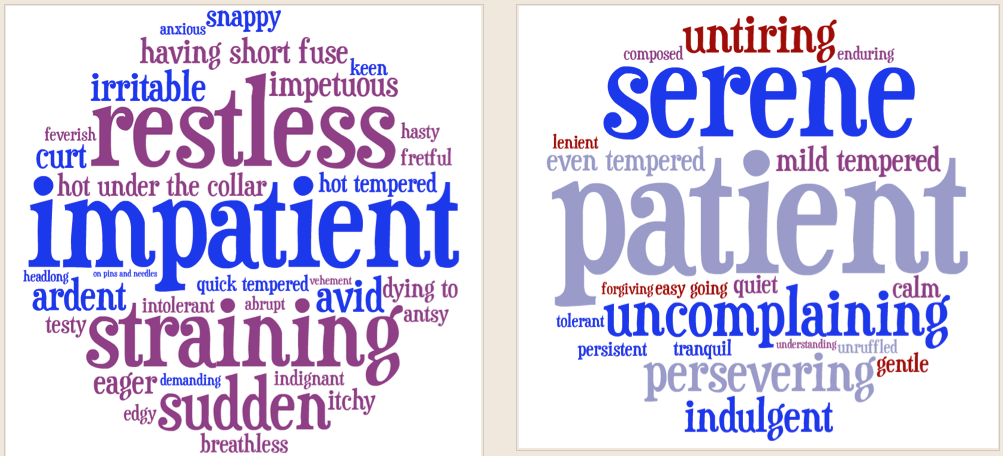
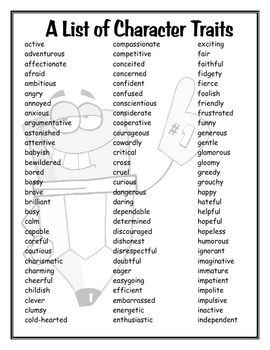
Because my students need to have a larger repertoire of "Character Traits" to choose from when describing characters in the books we read, we are creating a Visual Thesaurus of traits using Tagul.  Here is what it looks like so far.  Here is how we're doing it:
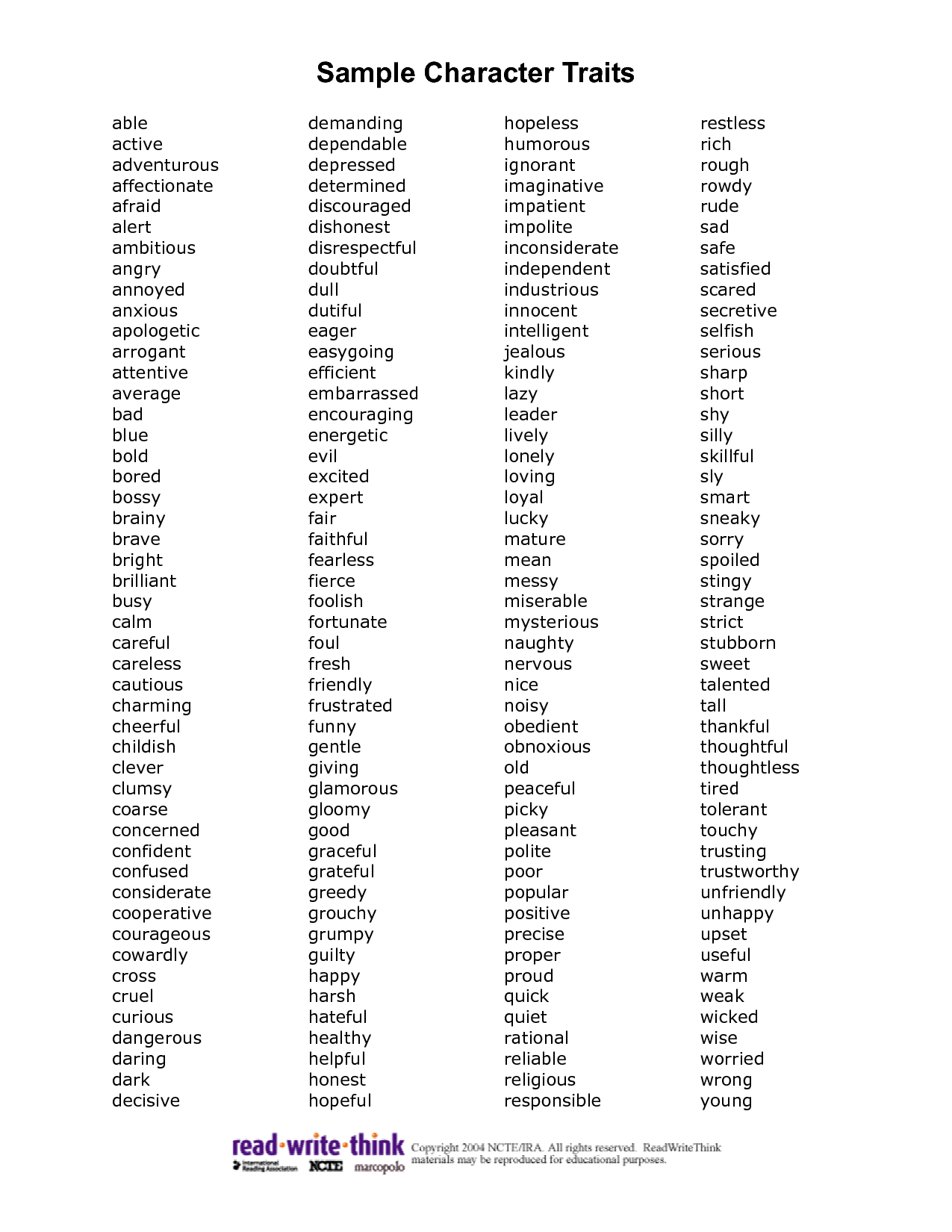
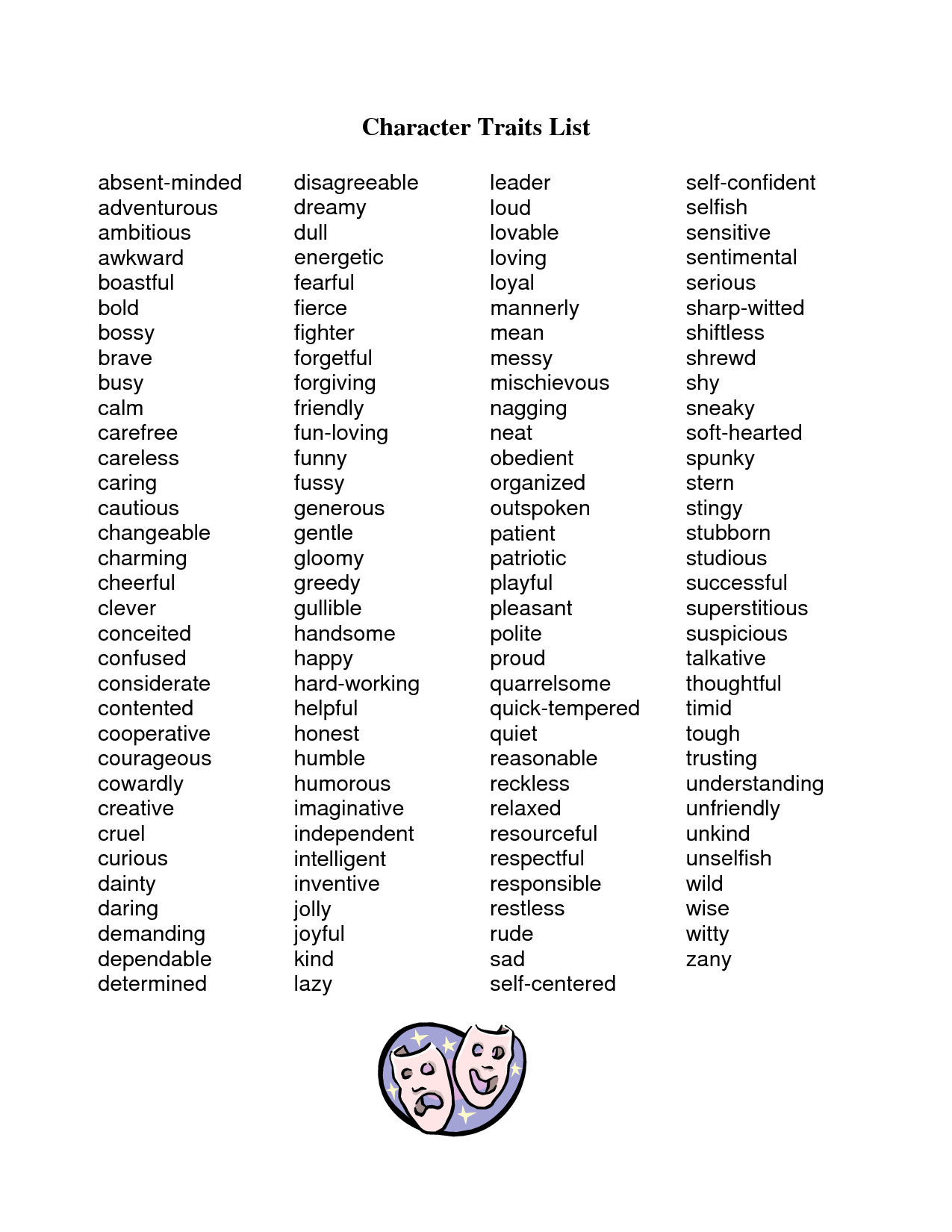
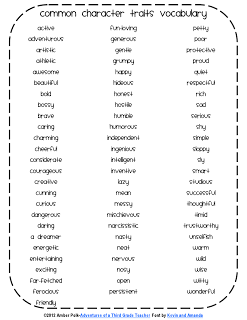
  1. I found a wonderful list of character traits on Read-Write-Think (click here) that I highlighted.  I had my student choose their character trait from the list above, or from one of the following downloads.  (Additional lists: 1, 2, 3, 4, 5, 6, 7. All were downloads from Google Images.)
  2. I taught my students how to use tagul.com, which is a word cloud generator (see images above). 
  3. I also taught my students how to use thesaurus.com as a way to find synonyms and antonyms for a word.
  4. Each student chose a word from the list (and determined its natural antonym with help from the thesaurus) and created a word cloud for it using the synonyms that were listed on thesaurus.com - They clicked on their preferred antonym and used the synonyms from that word's list for their second word cloud.  
  5. Finally, I asked that my students submit their word clouds to me via a form that I posted on our website (scroll down to the bottom of the page to see it) and post their word clouds on their ePortfolios with a reflection.
Here is what we ended up with: http://psolarz.weebly.com/character-traits-thesaurus.html

I think that this 75-minute activity was a good exercise in thinking, because I asked them to delete any words or phrases that they did not know, or did not accurately reflect the definition of the word.   They also had to decide on an antonym that was as close to the opposite of the original word as they could come up with.  Finally, they had to remember (or use their notes that they took) to do all of the technology pieces of the activity.  By the end, my students told me that they were mentally drained, but that they enjoyed the activity.  Exactly what I hoped for!!!

This kind of activity is a fresh, new way of teaching students how to use a thesaurus.  It is also a vocabulary lesson where students have some input on the words they are learning.  My students were engaged during the entire activity, and now have a resource to use in the coming days when we start to analyze the characters in our shared reading: Wonder, by R.J. Palacio.
1 Comment

Using a Reflective ePortfolio Entry about a Fun Science Experiment to Get to Know Your Students' Academic Abilities

8/22/2013

1 Comment

 
Today was Day 2, and I wanted my students to get some more practice working with their ePortfolios, reflecting, and interpreting the purpose of a lesson.  I decided to use one of my older lessons, but re-purpose it a bit.

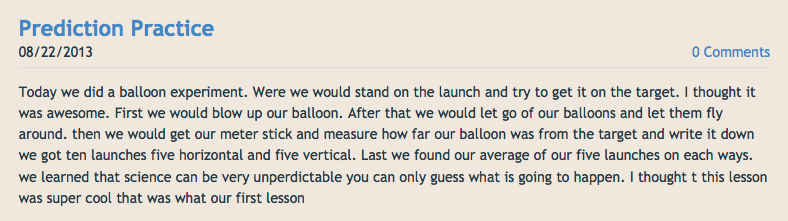
Here is what we did, as described by Anthony (click on image to go to their ePortfolio):
Picture
As you can see, there are many skills being taught and practiced in this activity that span several subject areas. I spent the first 30 minutes of the lesson talking about the steps in the Scientific Method, how to measure using a meter stick, how to find the mean average, and lots of preventative behavior advice. 

Students spent about 30 minutes experimenting, measuring, showing restraint while using balloons, and helping each other interpret the directions.  This lesson was extremely valuable because it accomplished so much of what I wanted my students to learn and practice in the first few days of school!  They are now more confident in their collaborative abilities and they know that they refrain from acting on impulses (there were zero behavior problems!).

After the experiment, everyone created a blog entry and started reflecting by stating what we did, what they learned, and why they thought this lesson would be valuable for other students to do.  Here is what Sam had to say (click on the image to go to his ePortfolio):

Read More
1 Comment

Using Voki to Get to Know Each Other on the First Day of School!

8/21/2013

3 Comments

 
I wanted my students to to do a couple important tasks on the first day of school, so I found a way to combine them into one activity!  Efficiency!

Since it's the first day, some of us don't know everyone!  A mixer is a nice, old-fashioned way of getting to know each other & building community in the classroom!  Instead of the traditional walking around mixer, I decided to do a techie version that requires students to embed a URL on their blog & comment on each others' posts!!!  (I bet these kids never expected this on the first day!)

The 21st Century Skills I chose to focus on during this activity:
  • Think Creatively
  • Make Judgments and Decisions
  • Create Media Products
The mixer is called "Two Truths and a Lie."  Students brainstormed two things that are true about themselves, but that might not be very believable to their peers, and one thing that is actually untrue that might be believable by their peers!  They mix them up & record them on a Voki.  After they are finished, they embed their Voki on their blog for others to listen to.  When people listen, they post a comment with their best guess as to which one might be the lie.  At the end of the period, the students post a comment on their blogs explaining which one was the lie for all to read!

I wanted to get technology into my students' hands right away, because we needed to establish some daily routines, access some information online, and I needed my kiddos to pass on some details to their parents after school.  I also wanted my students to access their GMail to accept invitations to our Weebly site, and learn how to create blog entries.

Here is a link to one of my students' blog entries where some peers listened to their Voki and have posted their guess as to which one of the three facts was actually a lie: http://psolarz.weebly.com/58/post/2012/08/two-truths-and-a-lie.html


3 Comments

My "21st Century Classroom" Today versus Earlier This Millennium

8/4/2013

8 Comments

 
It seems as though a lot of teachers are taking some flak for calling their techniques "21st Century" since we've been in this century for nearly 14 years now (or is it 15?)! Regardless of semantics, I contend that teachers should be using many of these techniques in their teaching & call it what you want!  The following is a T-Chart breaking down how I used to teach and how I teach today:

How I Have Taught in the Past


Focused my lessons entirely on content objectives


Tests & quizzes were the most important aspect of a unit

Summative assessments determined my students' success or failure

Worksheets & packets were differentiated to increase rigor

I tried to add "fun" lessons to spice up our learning

Students predominantly worked in isolation or as a whole group

Once an assignment was turned in, it was graded and returned, ending the learning process

As soon as we finished an objective or task, we quickly moved on

We used technology for word processing and research

Students would write & create for pretend audiences or myself

I spent most of my time lecturing, explaining directions, working with small groups, giving information, & answering questions

Formal programs and handed-down lesson plans dominated my instruction

Students spent most of their time "consuming information" from me or other resources

Nearly 100% of students' questions were directed towards me

My students often came to class with homework incomplete or missing

My students only chance to investigate their personal interests while in school was in writing assignments

Students spent most of their time sitting at their desks

I spent way too much time at the Xerox machine every weekend

Students were never asked to self-assess or set goals

How I Teach Today


Focus my lessons on 21st Century skills, Big Ideas, Enduring Understandings, and Essential Questions.

The learning process is the most important aspect of a unit

Formative assessment is used to provide feedback so all students improve throughout the learning process

Critical thinking scenarios & real-world problems are used to increase rigor

"Fun" is embedded into our everyday activities

Students predominantly work collaboratively with their peers

Once an assignment is turned in, students are allowed (& encouraged) to improve it indefinitely

As soon as we finish an objective or task, we take time to reflect and synthesize our learning

We use technology to create, collaborate, & reflect

Students write & create for authentic audiences such as classes around the world & famous authors

I spend most of my time setting up lessons, observing & praising, providing immediate feedback, & encouraging collaboration

PBL, Simulations, and other self-made 21st Century units dominate my instruction

Students spend most of their time "creating" based on information they gather

Nearly 100% of students' questions are directed towards fellow students

My students often come to school early or stay after school so they can finish their homework on time

My students spend 90+ minutes in school every week exploring their personal interests in Passion Time

Students are encouraged to sit anywhere in the room

In general, the only things I Xerox today are math & Time For Kids worksheets

Students set goals each trimester & assess their progress towards those goals
8 Comments
    Picture
    Picture

    My ePortfolio

    I am Paul Solarz, a 5th grade teacher in Arlington Heights, Illinois who is loving 21st Century Education. Please become part of my PLN on Twitter: @PaulSolarz

    Follow @PaulSolarz
    Tweet

    Archives

    April 2014
    February 2014
    January 2014
    December 2013
    November 2013
    October 2013
    September 2013
    August 2013
    May 2013
    April 2013
    February 2013
    January 2013
    December 2012
    October 2012
    September 2012
    August 2012
    May 2012

    Categories

    All

    RSS Feed

    Tweets by @PaulSolarz
Powered by Create your own unique website with customizable templates.