What's going on in Mr. Solarz' Class?
  • Parent (Current Newsletter)
    • Additional Parent Resources >
      • Homework Guidance for Parents
      • WEX - Writer's Express
      • Our Classroom YouTube Page
      • Should I grade homework?
      • Articles that Explain my Philosophy of Teaching
      • Parents Supporting 21st Century Learning
    • Daily Photo Journal >
      • 2014-2015 DaIly Photo Journal
      • 2013-2014 Daily Photo Journal
      • 2012-2013 Daily Photo Journal
    • Tentative Schedule this Week
    • Parent-Teacher Conference Schedule
    • Monitoring Your Child's Progress in Spelling
    • Calendar
    • Printables
    • 21st Century Skills
    • Westgate Social Work
    • Bessie's Table Soup Kitchen
  • Students
    • Overflow Roll-Out >
      • Contests You Can Enter!
      • Student Quotes
      • Websites to Visit for Homework!
      • REARJMCL
    • Calendar
    • Mini-Lessons
    • I Never Knew That!
    • History Alive! >
      • Sign-In Page
      • Online Tutorial
      • History Alive 10 Quiz
    • Spelling
  • Educators
    • Mr. Solarz' ePortfolio >
      • Teacher Evaluation
      • Domain3
      • Domain4
      • My Digital Scrapbook
      • Finland
    • Workshops I've Led >
      • How to Set Up and Run a Mystery Skype Session
      • Creating Your 21st Century Classroom
      • Twitter for Educators
      • Leading Children to Pursue their Passions
      • Becoming a Global Classroom Through Mystery Skypes
      • Enriched Learning Projects
      • Developing Units with 21st Century Skills in Mind
      • Who Owns the Learning? Examples of 5th Graders Running the Show
      • A Brief Introduction to China (for 2nd Graders)
    • 21st Century Learning >
      • Resources for Teachers >
        • 21st Century Skills
        • The 21st Century Skill Series of Videos
      • Examples of 21st Century Education in Action >
        • Self-Directed Students
      • 21st Century Assessment
      • Web 2.0 Tools Used in Our Classroom
      • Articles for 21st Century Teaching (Updated Daily)
      • Motivational Speakers
    • Curricular Units >
      • Social Studies Units >
        • The 2012 Presidential Election
        • The Revolutionary War
        • U.S. Constitution and Government
        • Westward Movement
      • Science Units >
        • Energy
        • Science Fair
        • Human Body Systems in Motion
        • Human Body Systems in Motion
        • Watery Earth
    • EdChat Archives >
      • #TLAP
      • #5thchat
      • #21stedchat
    • My Philosophy of Education
    • Tips and Tricks for the Elementary Classroom
    • China (Photos)
  • Past
    • 2013-2014 >
      • Year-Long Activities >
        • Passion Time >
          • Passion Projects >
            • 2013-2014 Passion Projects >
              • Passion Projects 10/11/13
              • Passion Projects 11/22/13
              • Passion Projects 12/20/13
              • Passion Projects 2/12/14
              • Passion Projects 3/21/14
              • Passion Projects 5/2/14
              • Passion Projects 6/2/14
            • 2012-2013 Passion Projects >
              • Passion Projects 1
              • Passion Projects 2
          • Guidelines for Creating Your Final Product
        • New Assignments
        • Mystery Skype
        • Literature Circles >
          • Discussions & Signposts
          • Book Talks >
            • Submit Your YouTube URL Here
      • Spring Trimester >
        • Our Learning Experiences
        • Westward Expansion >
          • Oregon Trail Pastimes
          • VoiceThread Blog
          • Pinterest
          • VoiceThread
          • Timeline
          • Diigo
          • Google Presentation
          • Photo Stories
          • Tableaux Vivants
          • Daily Travel Log
          • Fictional Travel Log
          • Video Journal
        • WEX - Fictional Narratives
        • 21st Century Skills
        • Motivational Posters
        • Watery Earth >
          • Bodies of Water
        • Colonize Mars! >
          • Claiming Mars For Ourselves
      • Winter Trimester >
        • 100 Word Challenge
        • Stations
        • Human Body Unit
        • Out Of My Mind
      • Fall Trimester >
        • Historical Reenactment
        • Tessellations
    • 2012-2013 >
      • April/May/June >
        • Mystery Skype
        • Colonize Mars!
        • Science Fair 2013
      • February/March >
        • ThingLink
        • Human Body
        • Revolutionary War Simulation
        • Global Literature Circles
        • ISAT Test Prep
      • January >
        • Field Museum
        • Wonder >
          • Character Analyses
          • Teacher Notes for Wonder - R.J. Palacio
        • Google Groups
      • November/December >
        • 12/12/12
        • Energy Debates >
          • Energy Debates Videos!
          • Energy Debate Blog Template
        • Presidential Elections >
          • The 2012 Presidential Election
          • Presidential Election Glogs
          • Presidential Character Traits
          • Political Parties >
            • Democratic Party
            • Republican Party
            • Green Party
            • Constitution Party
            • Libertarian Party
          • Virtual Debate >
            • Education
            • Health Care
            • Social Security
            • Immigration
          • Infographic Lessons on Prezi
          • Political Polls
          • ELECTION TIME!!!
      • October >
        • Creating Your Class Badges Account
        • Properties of Quadrilaterals
        • WEX Lesson 33 - Human Sculptures
        • Energy
        • 10-11-12 What's Special About It?
        • Mr. Badynee's 50th Birthday!
      • September >
        • Constitution Day - September 17, 2012
        • Character Traits Thesaurus
        • Mad Libs!!!
        • Grammar
    • 2011-2012 >
      • May/June >
        • Science Experiments >
          • Marble Coasters
          • Bubble Busters
          • Geodes
          • Naked Egg Drop
        • Oregon Trail >
          • Reflection Activities >
            • Pinterest
            • Voice Thread/Garage Band
            • Timeline of Events
            • Diigo
            • Google Presentation
            • Photo Album
            • Tableaux Vivants
            • Video Updates
            • Daily Travel Log
            • The "Very Unrealistic Accounts" of our trip west
          • Miscellaneous >
            • Audio ThingLink Map
            • Passtimes/Games/Songs
        • Niche Theory
        • The 5 Love Languages
        • Pool Party
        • History Alive 17
        • Field Day
      • March/April >
        • Phantom Tollbooth >
          • Homework >
            • HW Due 5/3/12 by 4:00 p.m.
            • HW Due 5/14/12 by 4:00 p.m.
            • Character Forum
            • New Characters
            • New Settings
          • Roles >
            • 1 - Detail Tracker
            • 2 - Psychologist
            • 3 - Professor
            • 4 - Philosopher
            • 5 - Cartographer
        • Human Body >
          • Human Body Posters (Pre-Assessment)
          • Human Body Lessons >
            • Heart Rate Graphs
            • Exercise Graph
            • Clothespin Lesson
            • Creating Aliens
            • Hinge Joint Videos
          • How to Write a Reflection
          • Final Assessment & Reflection
        • WEX Fictional Narratives >
          • Sticky Podcasting
          • Podcasts
          • Writing Picture Books
        • Project Citizen: Westgate Database
        • Arbor Day
        • Zero Degree Party!
        • Judge Tristano Visit
      • January/February >
        • Kate Klise Assembly
        • Lara in "Annie"
        • Glogster Project
        • Science Fair
        • Valentine's Day Party
        • Teacher Appreciation Week
      • November/December >
        • Chinese Calligraphy
        • Energy
        • Energy Debates
      • September/October >
        • Rev. War Hero Projects
        • Stations
        • Halloween Party
        • Fall Links
      • Videos
  • Present
    • Passion Time >
      • Passion Time Steps
      • Submit Your Essential Question
      • Essential Questions
      • How to Post Your Passion Project Online
    • 2014-2015 Miscellaneous
    • Energy
    • Wonder
    • Grammar
  • Future
    • Learning About 21st Century Skills
    • Creating Infographics
    • Utilizing the Left and Right Sides of Your Brain
    • Comments 4 Kids
    • Innovation in the Classroom
    • Online Quizzes and Polls
    • Solar Maximum
    • Vocabulary/Parts of Speech
    • The Five Things I've Learned
    • Vialogues (Video Discussions)
    • Creating Online Videos
    • Advanced Storytelling
    • Test Anxiety
    • Responding to Blog Entries
    • Writer's Workshop Blog
    • Recipe Project (Blog)
  • e-Portfolios
    • 2014-2015 Students >
      • Student ePortfolios 0-7 >
        • 1 - Michael
        • 2 - Charlie
        • 3 - Nicole
        • 4 - Stacy
        • 5 - Bela
        • 6 - Kendall
        • 7 - Demetri
      • Student ePortfolios 8-14 >
        • 8 - Emily
        • 9 - Nicky
        • 10 - Hanna
        • 11 - Payton
        • 12 - Hasanain
        • 13 - Tucker
        • 14 - Chris
      • Student ePortfolios 15-21 >
        • 15 - Madi
        • 16 - Aidan
        • 17 - Luke
        • 18 - Kaela
        • 19 - Ryan
        • 20 - Alison
        • 21 - Lucas
    • 2013-2014 Students >
      • Student ePortfolios 0-9 >
        • 0 - Mr. Solarz' Sample Portfolio
        • 1 - Anthony A.
        • 2 - Annie B.
        • 3 - Sadie D.
        • 4 - Ellie D.
        • 5 - Sam D.
        • 6 - Ed D.
        • 7 - Luke D.
        • 8 - Keegan D.
        • 9 - Sean G.
      • Student ePortfolios 10-18 >
        • 10 - David K.
        • 11 - Ethan K.
        • 12 - Sam K.
        • 13 - Abby K.
        • 14 - Justin L.
        • 15 - Jill L.
        • 16 - Giana M.
        • 17 - Charlotte O.
        • 18 - Jack S.
      • Student ePortfolios 19-27 >
        • 19 - Charlie S.
        • 20 - Drew S.
        • 21 - Michael S.
        • 22 - Stefan S.
        • 23 - Charlie S.
        • 24 - Connor W.
        • 25 - Emily W.
        • 26 - Emma W.
        • 27 - Julia Z.
    • 2012-2013 Students >
      • Student Blogs 1-9 >
        • Blog 1
        • Blog 2
        • Blog 3
        • Blog 4
        • Blog 5
        • Blog 6
        • Blog 7
        • Blog 8
        • Blog 9
      • Student Blogs 10-17 >
        • Blog 10
        • Blog 11
        • Blog 12
        • Blog 13
        • Blog 14
        • Blog 15
        • Blog 16
        • Blog 17
      • Student Blogs 18-25 >
        • Blog 18
        • Blog 19
        • Blog 20
        • Blog 21
        • Blog 22
        • Blog 23
        • Blog 24
        • Blog 25
        • Blog 0
    • 2011-2012 Students >
      • Girls from 2011-2012 >
        • Gwendolyn Bennet >
          • Mars Travel Log
        • Dong Ling >
          • Mars Travel Log
        • Sophia Castro >
          • Mars Travel Log
        • Tristan Ely >
          • Mars Travel Log
        • Christine DuPont >
          • Mars Travel Log
        • Ira Matheus >
          • Mars Travel Log
        • Nicoletta Innazzo >
          • Mars Travel Log
        • Kade Bahari >
          • Mars Travel Log
        • Hava Raya >
          • Mars Travel Log
        • Kim Soo >
          • Mars Travel Log
        • Nabili Ngoumba >
          • Mars Travel Log
        • Britta Larson >
          • Mars Travel Log
        • Kristin Gola >
          • Mars Travel Log
      • Boys from 2011-2012 >
        • Dutch Vermont >
          • Mars Travel Log
        • Jose Leonardo >
          • Mars Travel Log
        • Otis Marley >
          • Mars Travel Log
        • Jose Rodriguez >
          • Mars Travel Log
        • Peter Anderson >
          • Mars Travel Log
        • Samir Bakri >
          • Mars Travel Log
        • Sefu Wellingtin >
          • Mars Travel Log
        • Raja Bello >
          • Mars Travel Log
        • Robert Gagne >
          • Mars Travel Log

Hanging Posters or Chart Paper on the White Board
Picture
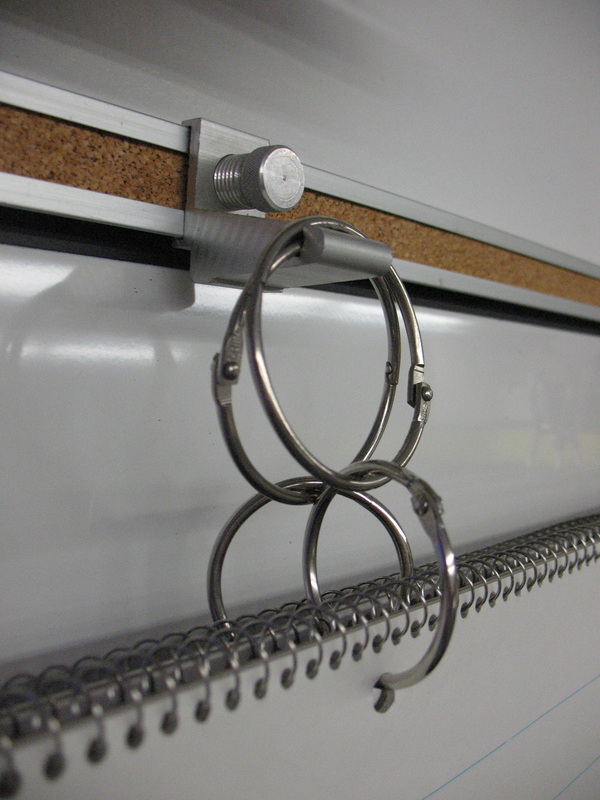
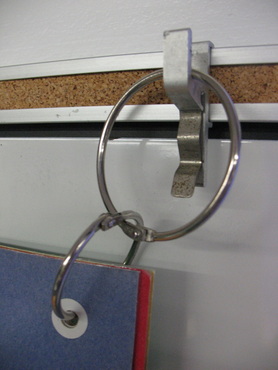
Use the metal clips that are attached to your cork strip above the white board to hang posters and chart paper!

(Left): For posters, I hole punch the top right and top left of each poster, attach a "hole reinforcement sticker" and then laminate (only if you plan on using it often)!

(Right): For chart paper and posters, I attach a small "metal book ring" through the hole and then attach a larger ring through that one.  This way, the ring is going the same direction as the chart paper or poster and will sit in the groove properly.

In order to maximize the use of brackets, use one metal bracket for the right side of a poster and the left side of another - saves brackets!!!
Picture

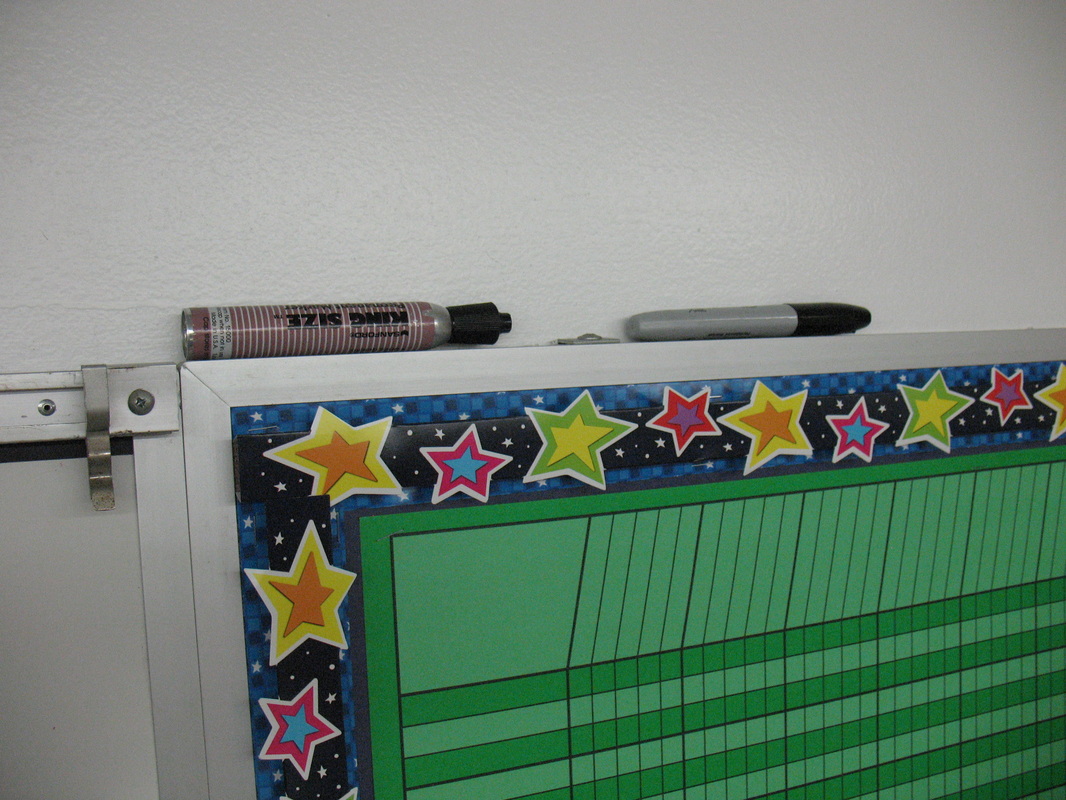
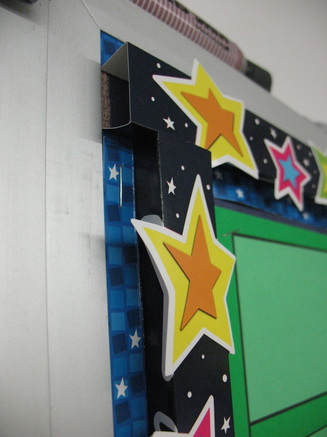
3-D Borders and Storing Markers above Bulletin Boards
Picture
(Left): They now make 3-D borders that you fold along perforations and the objects pop out!  I can't remember where I bought these, but be on the lookout for them, because they add a nice touch to bulletin boards!

(Right): Some of my bulletin boards are used to track classroom progress towards rewards.  I never could seem to find a permanent marker when I needed one, so I got smart and started storing it above the bulletin board.
Picture

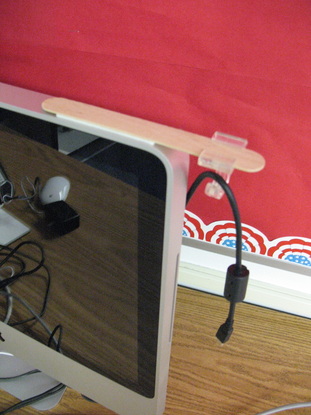
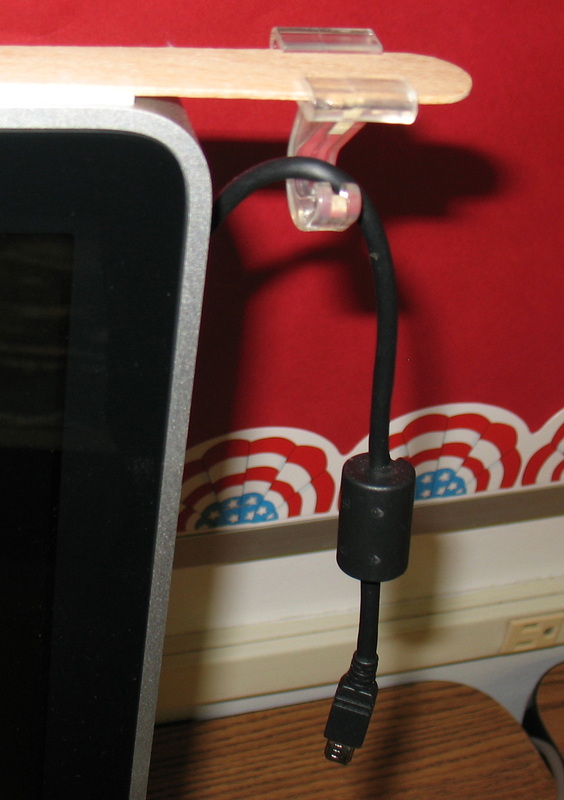
Computer Cord Holder

Picture
When you have 25 students using 5-10 computers every day, downloading pictures, connecting devices, etc. the number of cords can get overwhelming.  They get lost or mixed up with all the other cords.  I decided to fix the problem.

(Left): Each computer is assigned a purpose based on the cords it needs (photo/video uploading, smart phone charging/uploading, SD card reader, etc.).

(Right): I used double sided sticky tape to attach a tongue depressor to the top of the monitor (see how it hangs over).  Then, I attached a ceiling hook to the tongue depressor and strung the cord over it.  Now I won't lose the cord anymore and the kids know the purpose of the computer!
Picture

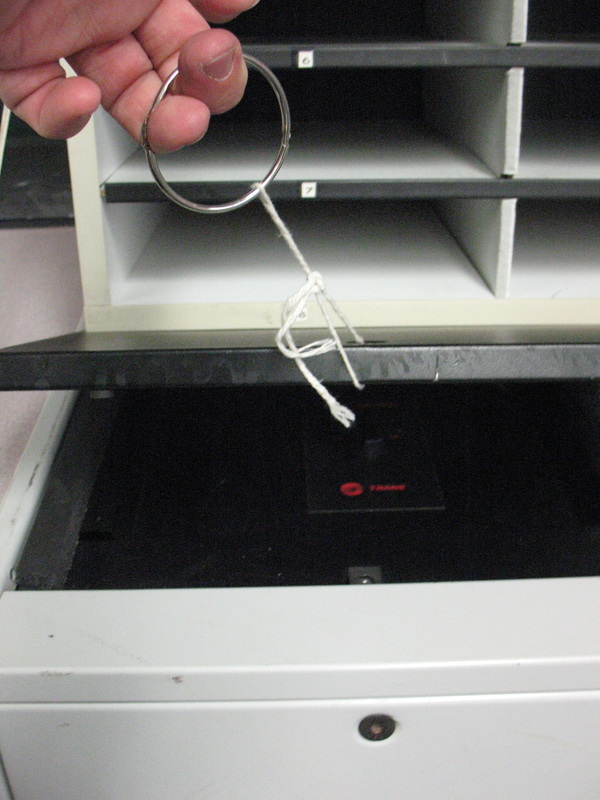
Air Conditioner/Heater Access Panel Opener (to adjust the blower settings)
Picture
Credit goes to Jill Richey for this one (I saw it in her room and stole the idea!).

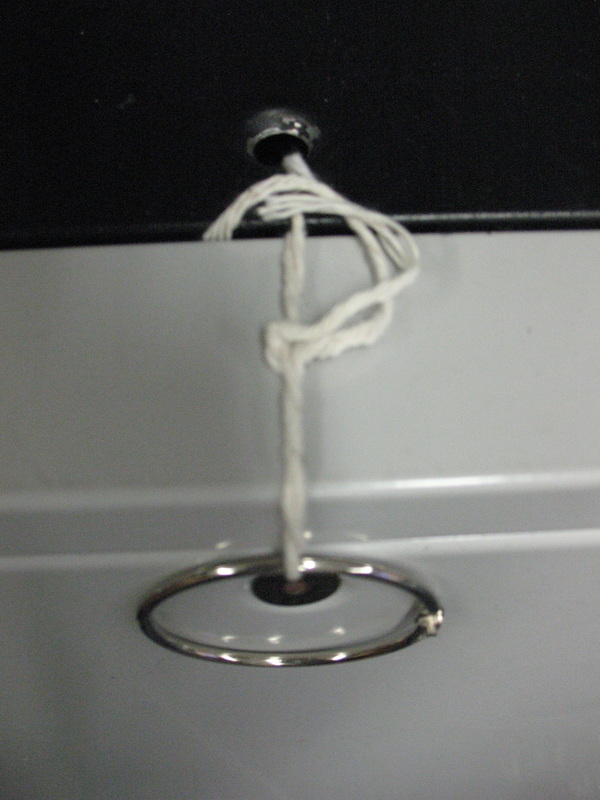
If you want to adjust the air conditioner/heater blower to a faster or slower setting, it can be difficult!  There is a bolt or screw that needs to be turned, then you need to pry it open with a flathead screwdriver or something to get it opened!  Here is an easier way...

(Left): Remove the bolt currently in the access panel of the air conditioner and place it inside so you don't lose it.  Tie a piece of string around the hole.  Attach a metal book ring around the string to give you something to grab hold of.  Lift and adjust the settings!

(Right): Close-up view.
Picture

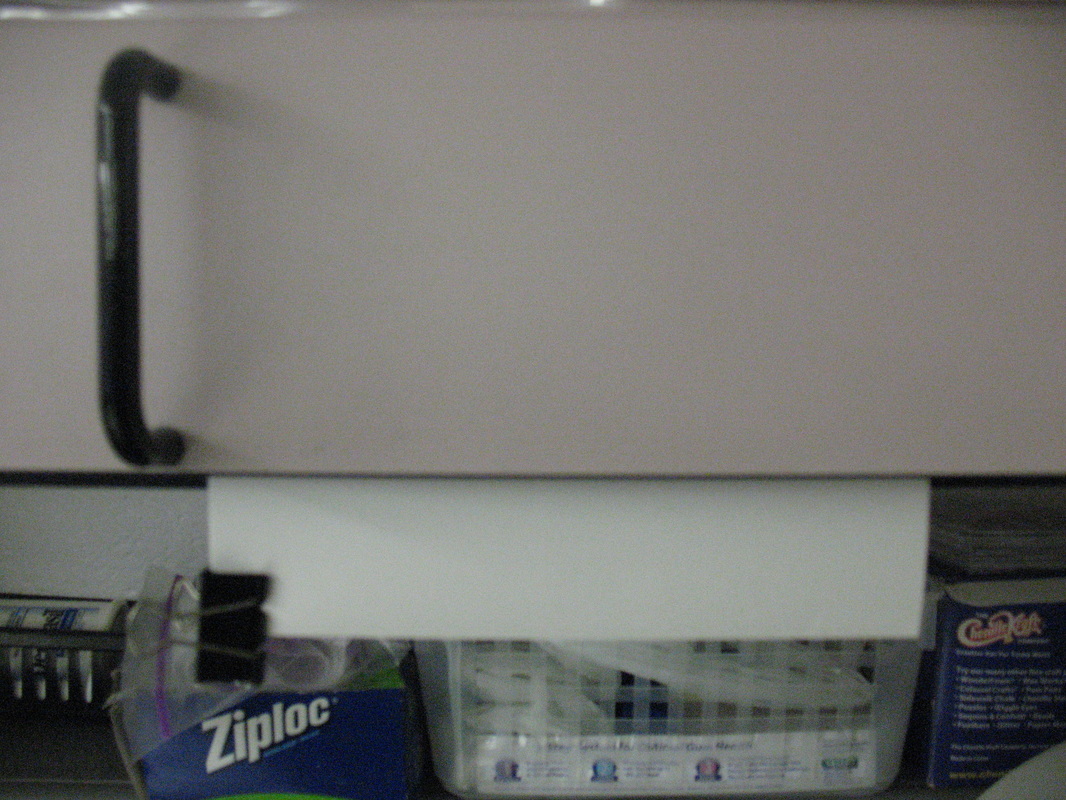
Still Use Overhead Transparencies?  Here's an easy way to dry them:
Picture
I always had trouble drying overhead transparencies.  I didn't want to use paper towels and be wasteful, and letting them air dry took too much space.  Here's what I came up with:

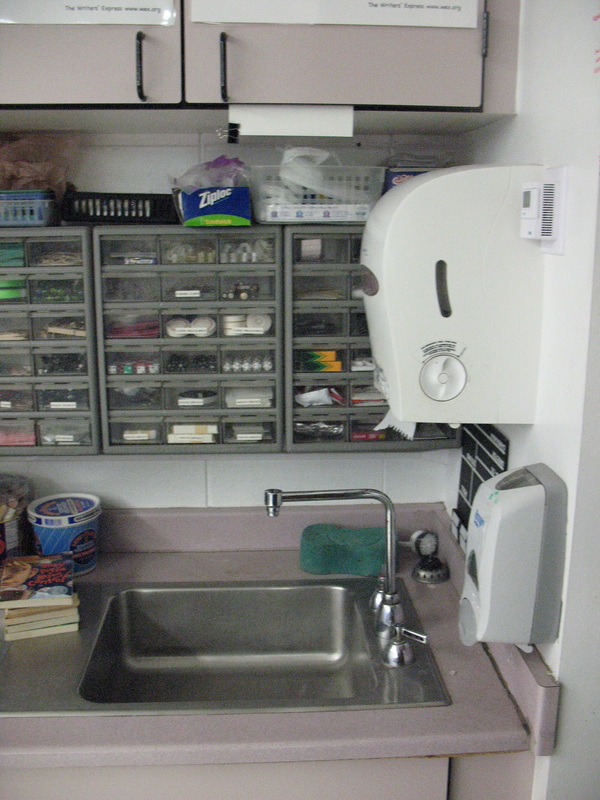
(Left): Open a cabinet door that is above the sink, and tape an index card or two to the inside, but let half of it hang out below.  Attach binder clips to it.  Wash your transparencies and clip them to the index card.  They will drip dry into the sink.  Good for the environment and you can fit about 10 at a time!

(Right): See how it would drip into the sink?  :)
Picture

Stringing a Line to Hang Posters

Picture
Picture
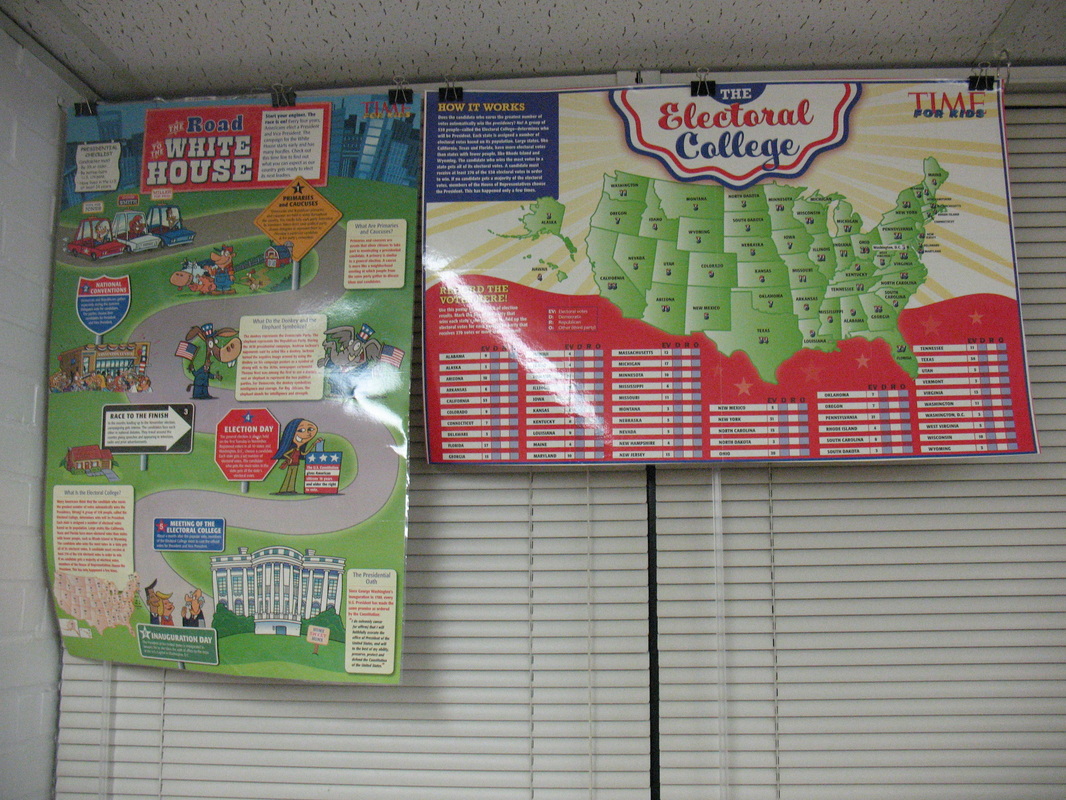
I never liked the look of those sagging lines that held posters - I always felt it could look better with minimal effort.  So here is what I found:

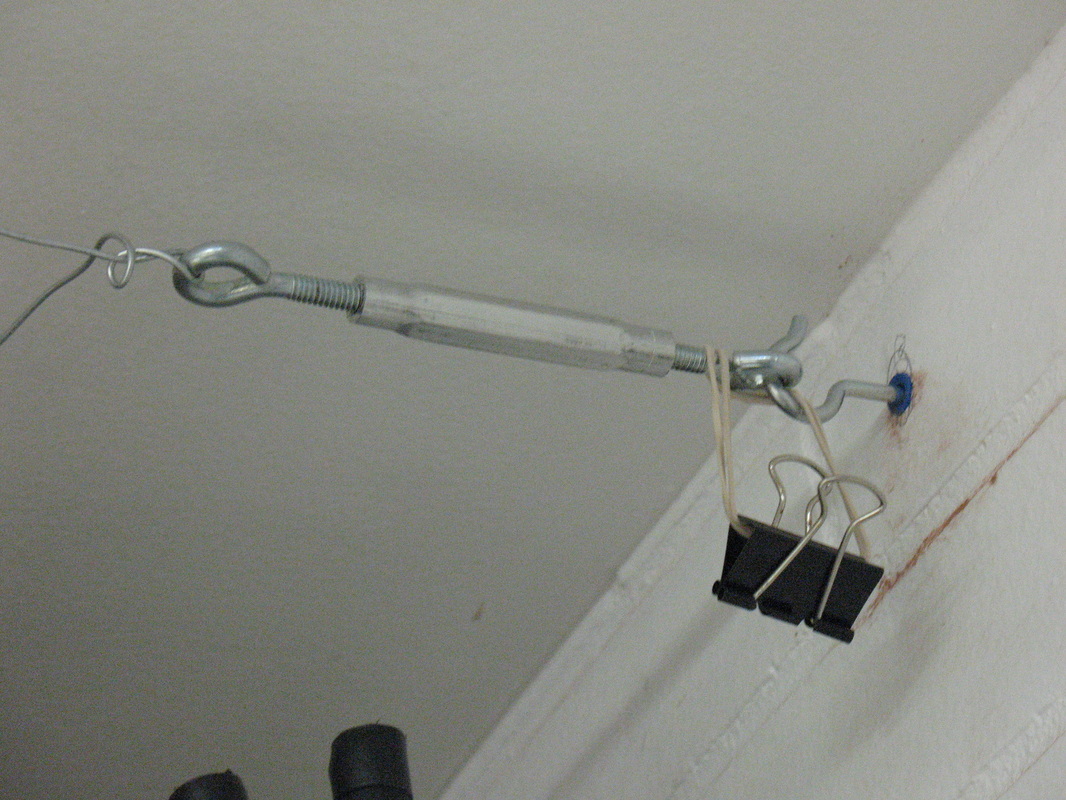
(Left): I used a hammer drill to pre-drill a hole in my brick or cinder block.  I put a masonry anchor into it and screwed in a strong metal hook.  I did the same to the other side, but instead of a hook, I just put a screw in that had a large head.  I twisted some heavy duty wire around the screw's head and strung it across the length of my windows.  After pulling it taught, I strung it around the eye of a cable tightener (turnbuckle).  In order to take out the slack, you turn the turnbuckle clockwise.  Now the line is as tight as it can get!

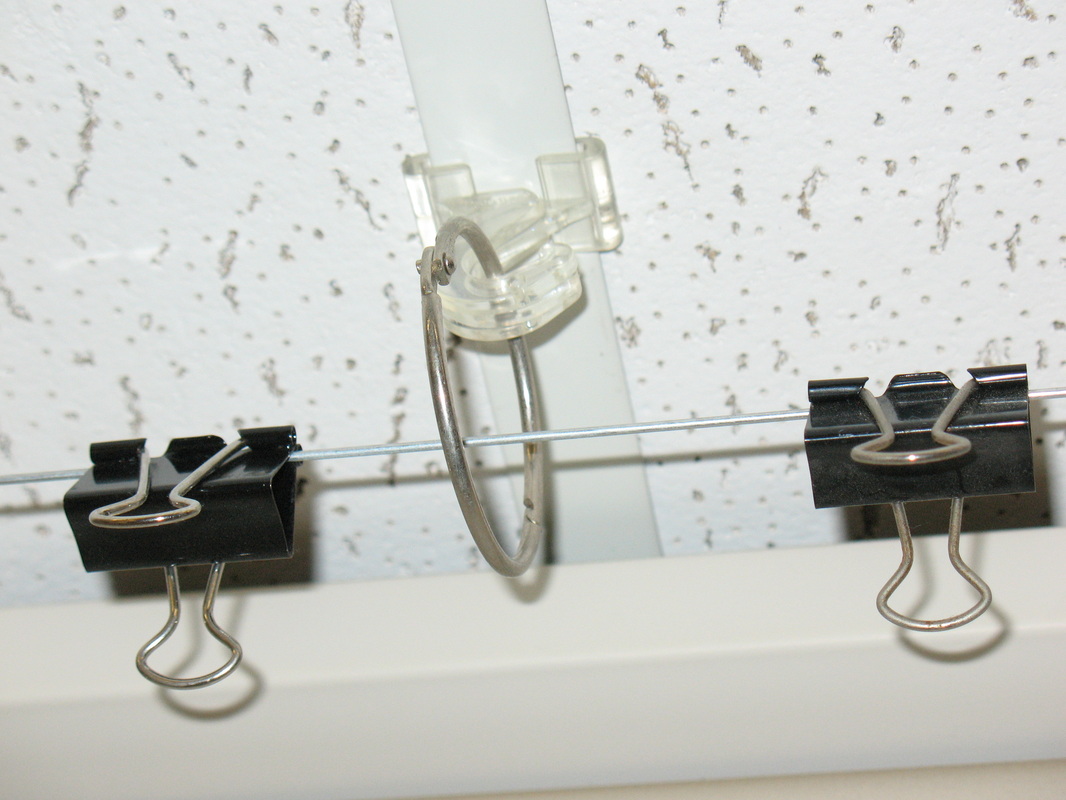
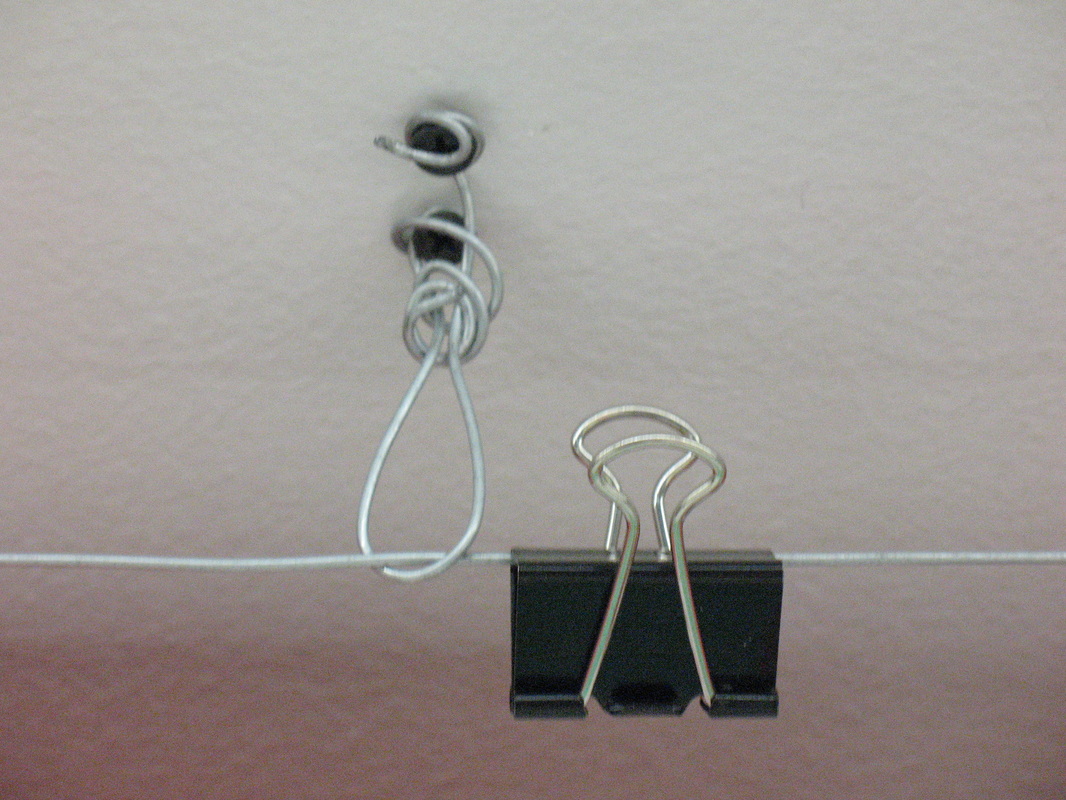
(Right): Once posters are hung on it, it will begin to sag again, so in order to prevent that I installed ceiling hooks with metal rings under my dropped ceiling, and screws with wire twisted around them in a drywall ceiling.  The binder clips are used to hold the posters.
Picture
Picture

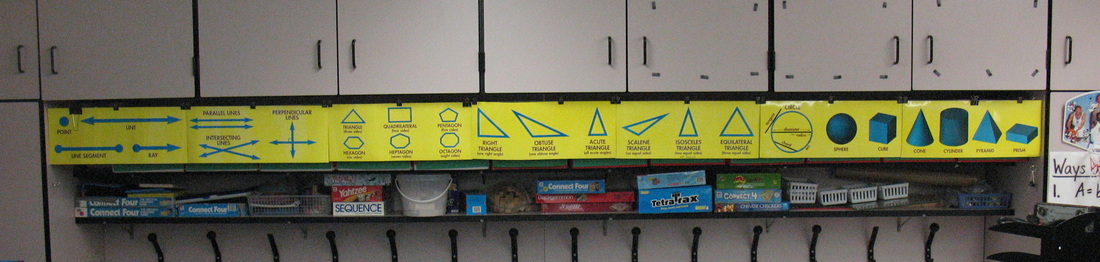
Stringing Timelines and Long Horizontal Posters Above the Coat Racks
Picture
Picture
Picture
I love buying those long posters (like the one above) and making timelines that are 20 feet long, but I could never find a place to hang them!  So I created a space under my cabinets and above the coat racks.  Here's how I did it.

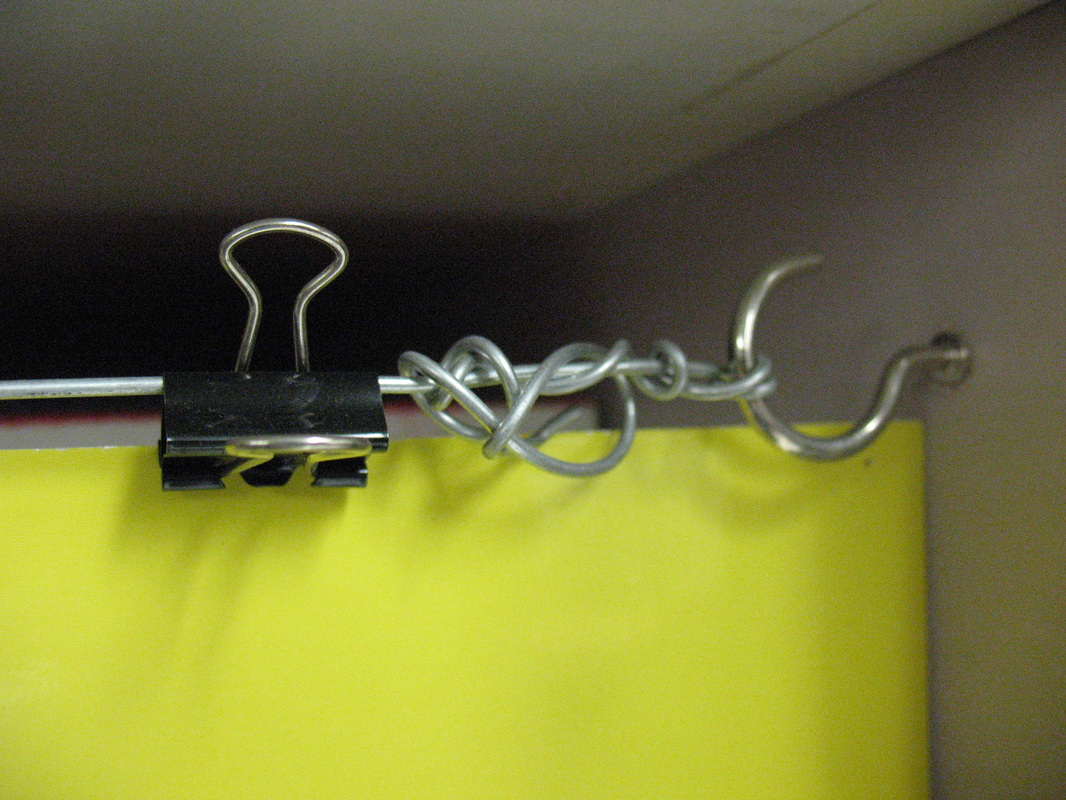
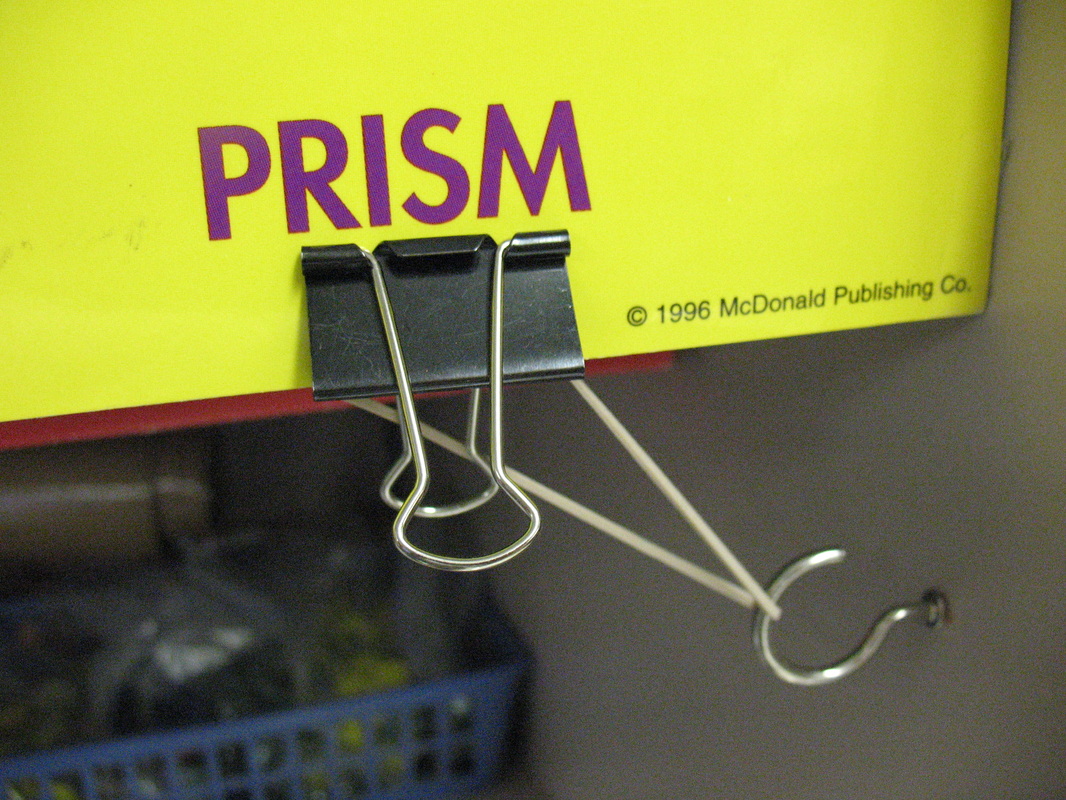
(Left): On each end of the coat racks, I pre-drilled a hole an inch below the cabinets and inserted threaded hooks into them.  Next, I twisted some wire until I felt it was secure (look at my professional job!).  Then I pulled it taught, and did the same to the other side.  I could have used a cable tensioner (turnbuckle), but I was able to use leverage to get it pretty tight.  In order to prevent sagging, I screwed in some hooks under the cabinets and ran the cable through them.  In order to prevent my posters and timelines from pulling away from the edges (they want to roll up), I put another hook below the poster, attached a binder clip & rubber band and the tension kept it secure. 

(Right): Binder clips above, hold it on the line.  The posters and timelines hide my ugly storage!
Picture
Picture

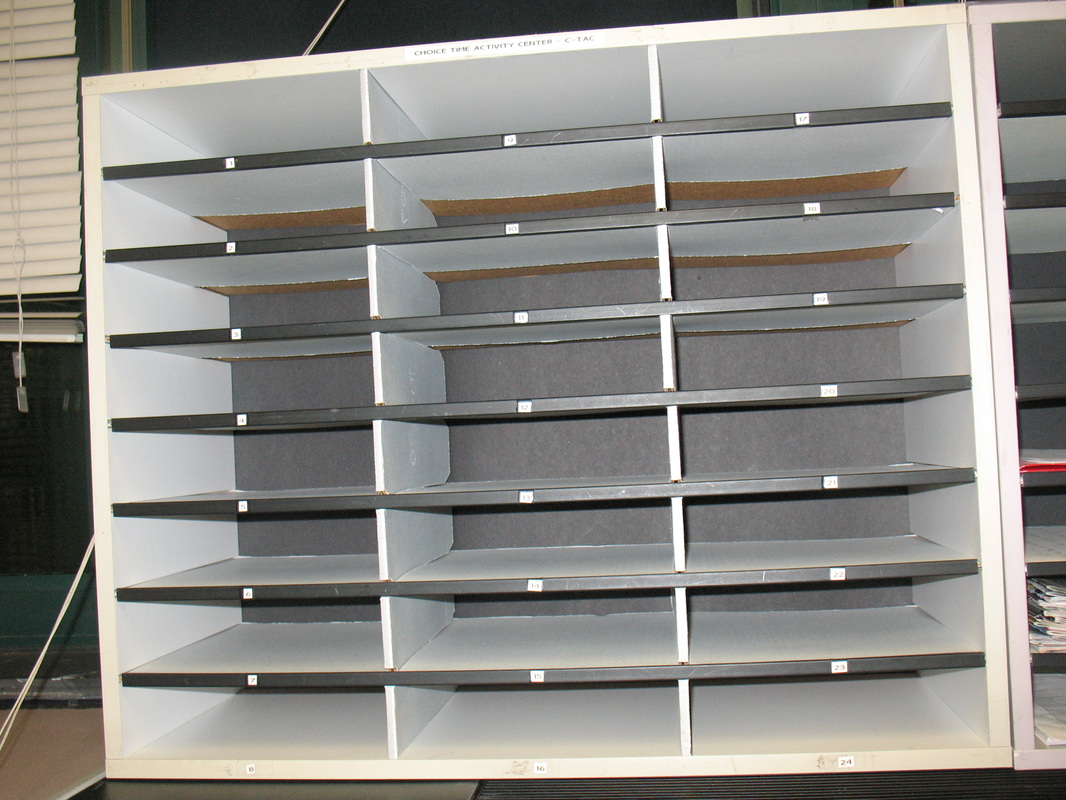
Using Literature Organizers in All Sorts of Ways
Picture
Picture
When I find something that works for me, I can go a little overboard!  That has definitely been the case with me and literature organizers!

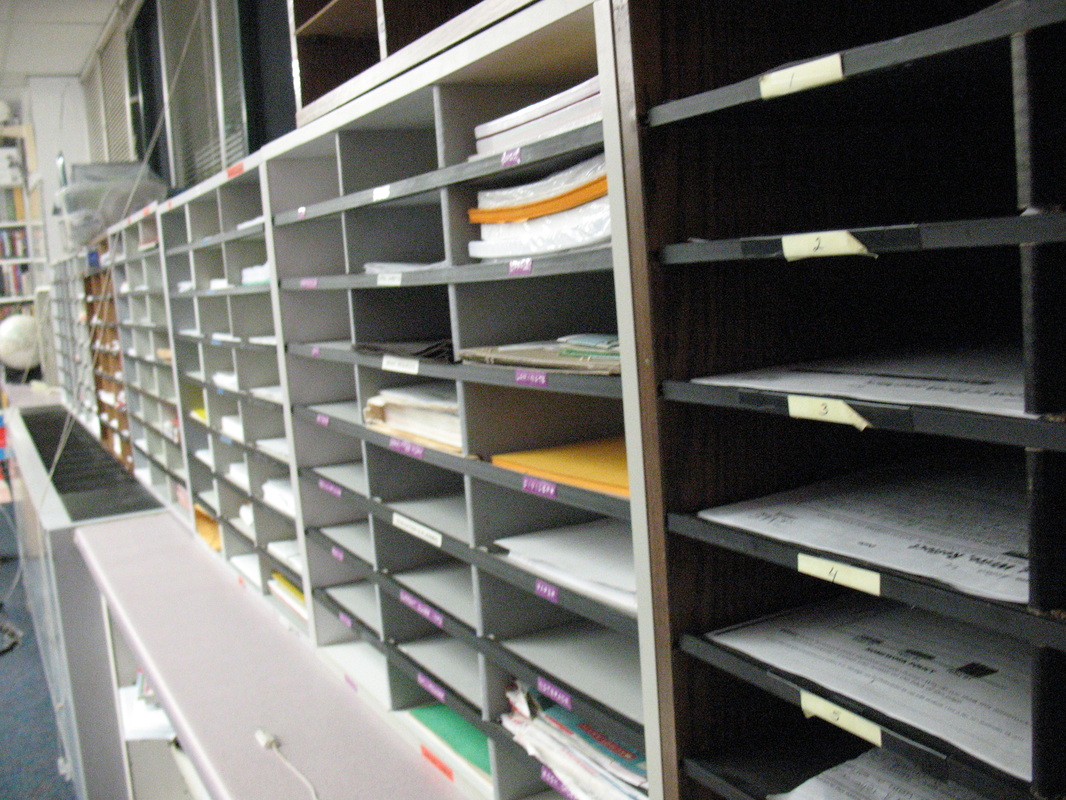
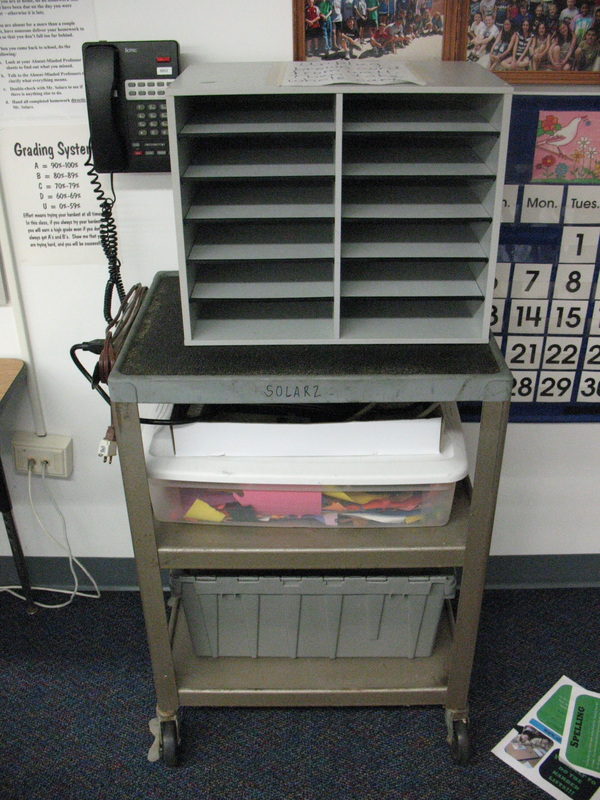
(Top Left): One of the ways I use them is probably the way that most people do: as mailboxes for student's mail.  Every child has their number on the shelf and their mail gets sorted daily (graded papers, notes home, etc.).

(Top Right): Along my windows, I use them in many ways.  First, every student has a slot for their "Choice Time" work.  This is individualized independent work that targets weak areas or areas for enrichment.  Other slots are used for sorting my Xeroxed worksheets for the week, lesson plans, handouts, etc.  I also have slots for sorting through papers that have been handed in that I need to grade.  It's a quick way to see if everyone turned their work in.

(Bottom Left): This is a small group breakout station in my classroom.  Students work here without teacher support.  The metal slots have materials students might need for activities, while the black slots are where students turn in their completed work.

(Bottom Right):  An iPad Cart.  iPads go in the slots with their cords sticking out.  Cords plug into power strips in the white box lid below, and the whole cart plugs into the wall.
Picture
Picture

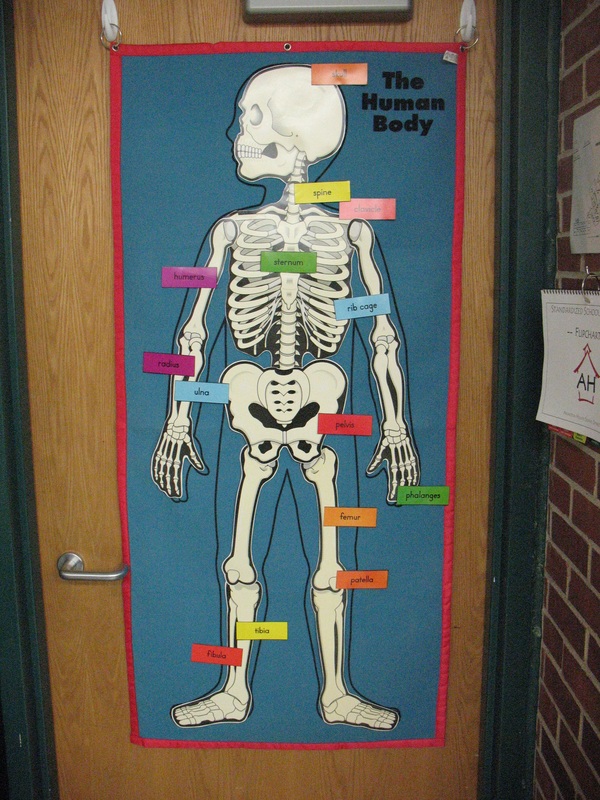
Hooks All Around the Room!!!  They're 3M Command Strips.
Picture
Picture
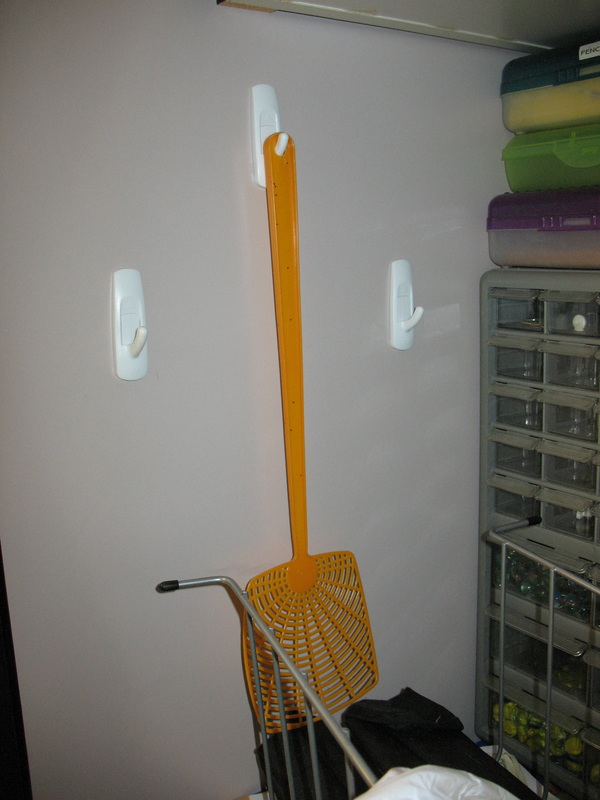
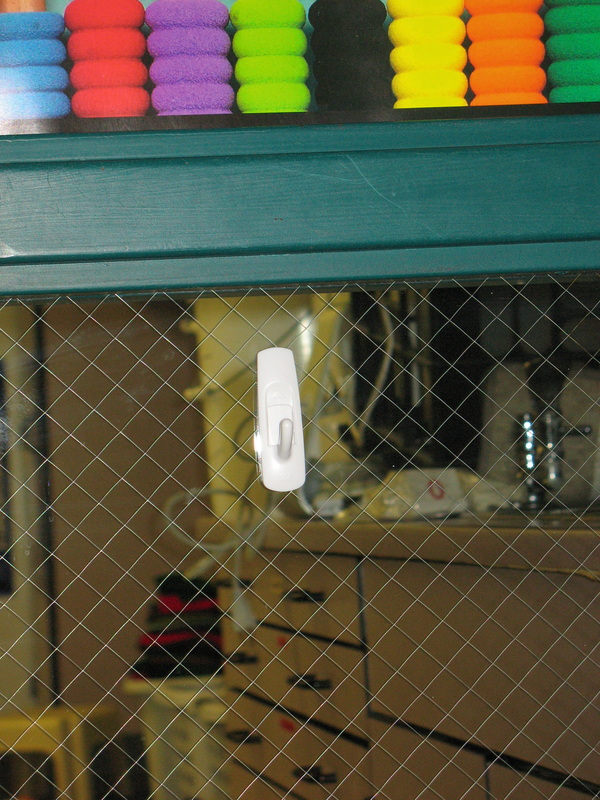
These Command Strips are very useful in a classroom!  Since it can sometimes be hard or against the rules to drill holes in certain things (my classroom door, window, etc.) these sticky hooks can really save the day.

(Top Left): During my human body unit, I like to hang a full size Velcro outline of a body on my door and have the kids put the organs in the right places.  The hooks hold metal rings that are strung through holes in the Velcro outline.

(Top Right): I have three hooks near my sink that hold a fly swatter, a feather duster, and a hand broom.

(Bottom Left): Inside my closet door, I gain a little more space for hooded sweatshirts, teacher bags, my recess whistle, etc.  For the heavier sweatshirts, I needed to use a heavy duty hook, but it's held well!

(Bottom Right): This is next to my door just outside of my room.  I put this here to hold the green bags that we get each day with fruit or veggies for those that order it for a healthy snack.  It used to be put on my classroom doorknob, but then it would always prevent the door from closing or it would be on the outside of the door and the kids wouldn't see it.  Now we see it as soon as it's delivered!

One of the reasons these are so great is because they are reusable and moveable.  Just slide them up, pull the backing off the wall, and remove the sticky tape.  Put another sticky tape on, and place the hook in a new location!
Picture
Picture

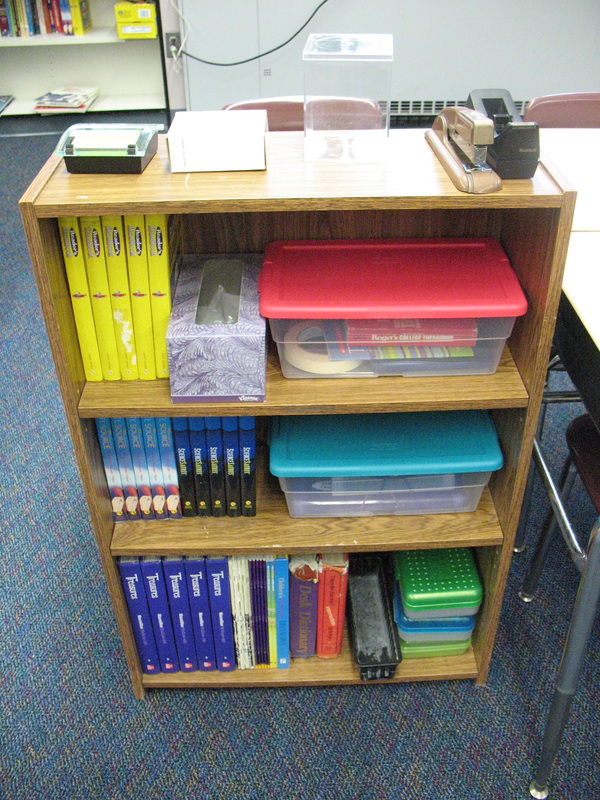
Free-Standing Bookshelves in the Classroom
Picture
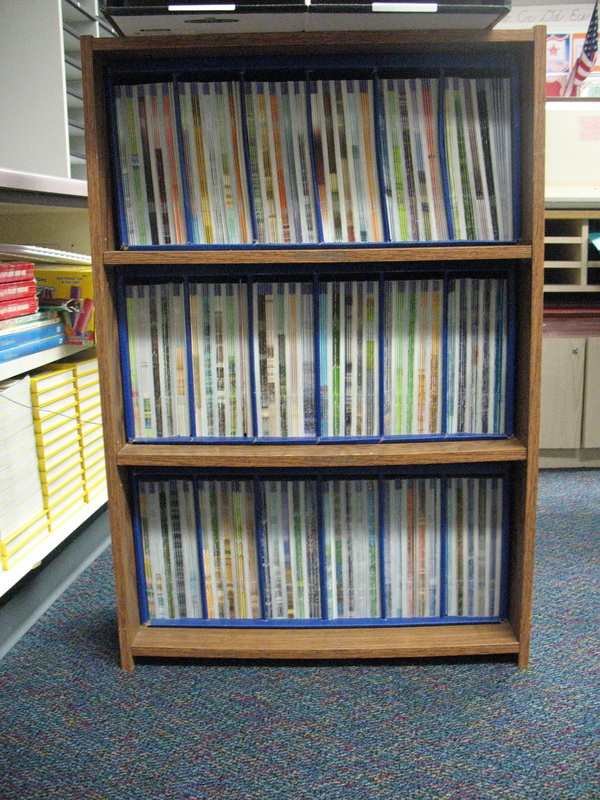
I like buying these small faux wood-grain three-shelf bookshelves.  I had a few, then I saw a couple at a garage sale, and now I am using six of them in my room.

(Top Left): I have five of them being used to store materials for my students.  Each group of five desks has a bookshelf that has enough materials for each student.  We keep the textbooks that we use sporadically, reference materials, staplers, tape dispensers, markers, Post-Its, scissors, calculators, etc. there.

(Top Right):  It just so happens that these particular bookshelves are the perfect size for storing our Treasures Guided Readers.  But you do have to do one modification: you need to drill four new holes for the middle shelf.  Put the books in on the bottom shelf and set the drawer on top.  Drill the holes accordingly.
Picture

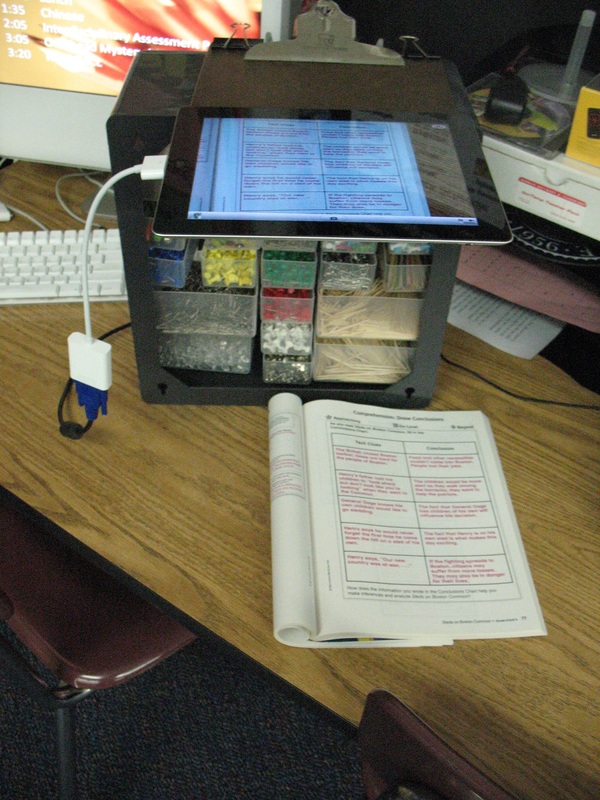
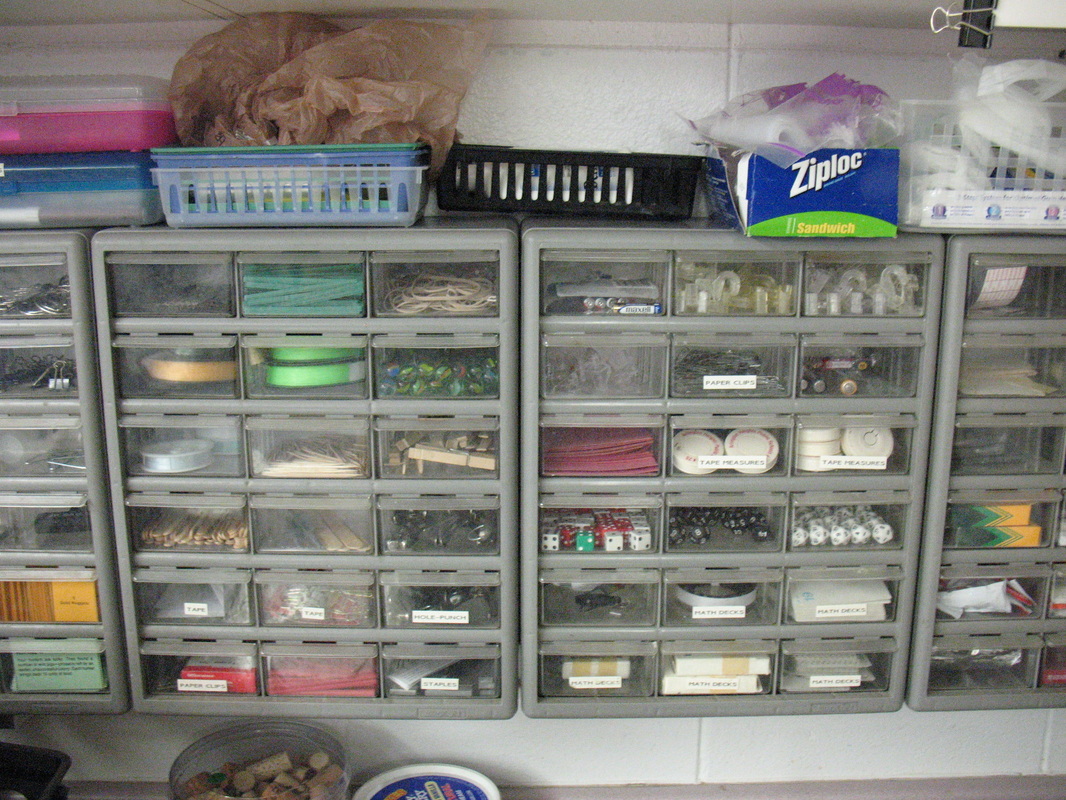
Plastic Utility Cabinets are Great for Storage and iPad Document Camera Stands!
Picture
I use these plastic utility cabinets to store all of those supplies that normally reside in junk drawers and plastic bowls. 

(Left): They also work well as shelves above and below.  I keep rubber bands, paper clips, science supplies, math manipulatives, chalk, Post-Its, etc. in these drawers.  Most are accessible by the students, but some are restricted (e.g. rubber bands, thumbtacks, etc.).

(Right): Due to its weight, it makes a nice iPad stand when you want to convert it into a document camera!  Just binder clip a clipboard to the top!
Picture

More ideas on my Pinterest page: http://pinterest.com/paulsolarz/my-classroom/

Powered by Create your own unique website with customizable templates.